Knight Switch1.6.2
Publisher Description
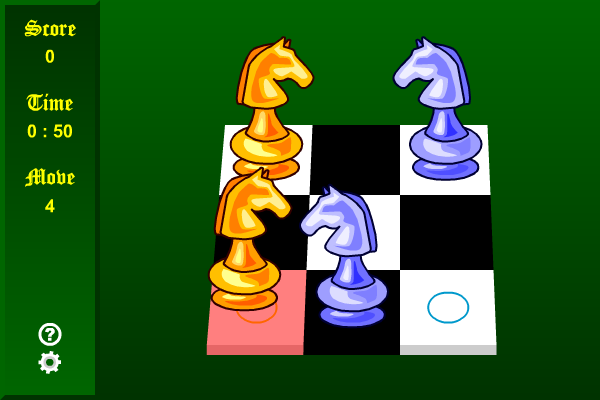
Is the knight on the rim dim? Find out the answer as you attempt to swap the positions of the two groups of knights! At each level of the game you will be given a chessboard, with the two groups of knights facing each other. The pieces can move in the same ways as in a game of chess, that is, they can move two squares vertically and then one square horizontally, or two squares horizontally and then one square vertically. Click and drag a piece to a valid position which will be highlighted in red, then continue the process until the two groups of knights have exchanged their positions. Your current number of moves and the remaining time will be displayed on the left of the screen. If you cannot complete the level within the time limit, the game ends. As you advance in the game, the boards may appear in different sizes and shapes. Challenge your mind and endeavor to complete all 5 levels!
About Knight Switch
This Puzzle & Word Games program is available in English, ChineseTraditional, ChineseSimplified, Spanish, Japanese, Portuguese, German, Arabic, French, Russian, Korean, Hindi. It was last updated on 29 September, 2026. Knight Switch is compatible with the following operating systems: Windows.
The company that develops Knight Switch is Novel Games Limited. The latest version released by its developer is 1.6.2. This version was rated by 2 users of our site and has an average rating of 4.5.
The download we have available for Knight Switch has a file size of N/A. Just click the green Download button above to start the downloading process. The program is listed on our website since 2006-10-19 and was downloaded 118 times. We have already checked if the download link is safe, however for your own protection we recommend that you scan the downloaded software with your antivirus. Your antivirus may detect the Knight Switch as malware if the download link is broken.
How to install Knight Switch on your Windows device:
- Click on the Download button on our website. This will start the download from the website of the developer.
- Once the Knight Switch is downloaded click on it to start the setup process (assuming you are on a desktop computer).
- When the installation is finished you should be able to see and run the program.
Program Details
General
System requirements
Download information
Pricing
Version History
version 1.6.2
posted on 2006-10-19
Added 3 language versions
